
On 30 October 2026, the US Cybersecurity and Infrastructure Security Agency (CISA) added two more Ivanti Connect Secure flaws, CVE-2026-111357 and CVE-2026-118527, to its catalogue of actively exploited vulnerabilities. Together with CVE-2026-104935, listed on 13 October, they form a chain that let attackers take over Ivanti VPN appliances without a password, as root, and then go after the company's Windows domain credentials.
Ivanti Connect Secure is an SSL VPN: the box at the edge of the network that remote employees, contractors and sometimes suppliers log in to before they can reach anything inside. In many engineering companies, that inside includes the SOLIDWORKS PDM vault, the file shares with older projects, the licence server and the domain accounts that open all of them.
Nothing in this case involves SOLIDWORKS or Dassault Systèmes software, and no stolen CAD data has been reported. But the attack shows how a breach at the front door turns into a question about who can open your design data. Here is what is confirmed, what is still unknown, and what SOLIDWORKS teams that use an Ivanti VPN, or any VPN, should check now.
TL;DR: patch the VPN, then treat every password it has seen as exposed
Attackers chained three Ivanti Connect Secure flaws to get root on VPN appliances, starting no later than 3 October 2026, on a box that was fully patched at the time. Once inside, they collected domain credentials, searched Active Directory for local admin passwords and BitLocker recovery keys, sniffed network logins and cleaned the logs. Ivanti fixed the last link of the chain on 29 October, and CISA listed it as exploited on 30 October. If you run Ivanti Connect Secure, update it, follow Ivanti's recovery steps, reset the passwords of every account the appliance could see, and check who opened your PDM vault and file shares since early October. Keep your own dated proof of your key designs, so a breach does not also become a fight about who designed what.
What happened with Ivanti Connect Secure in October 2026?
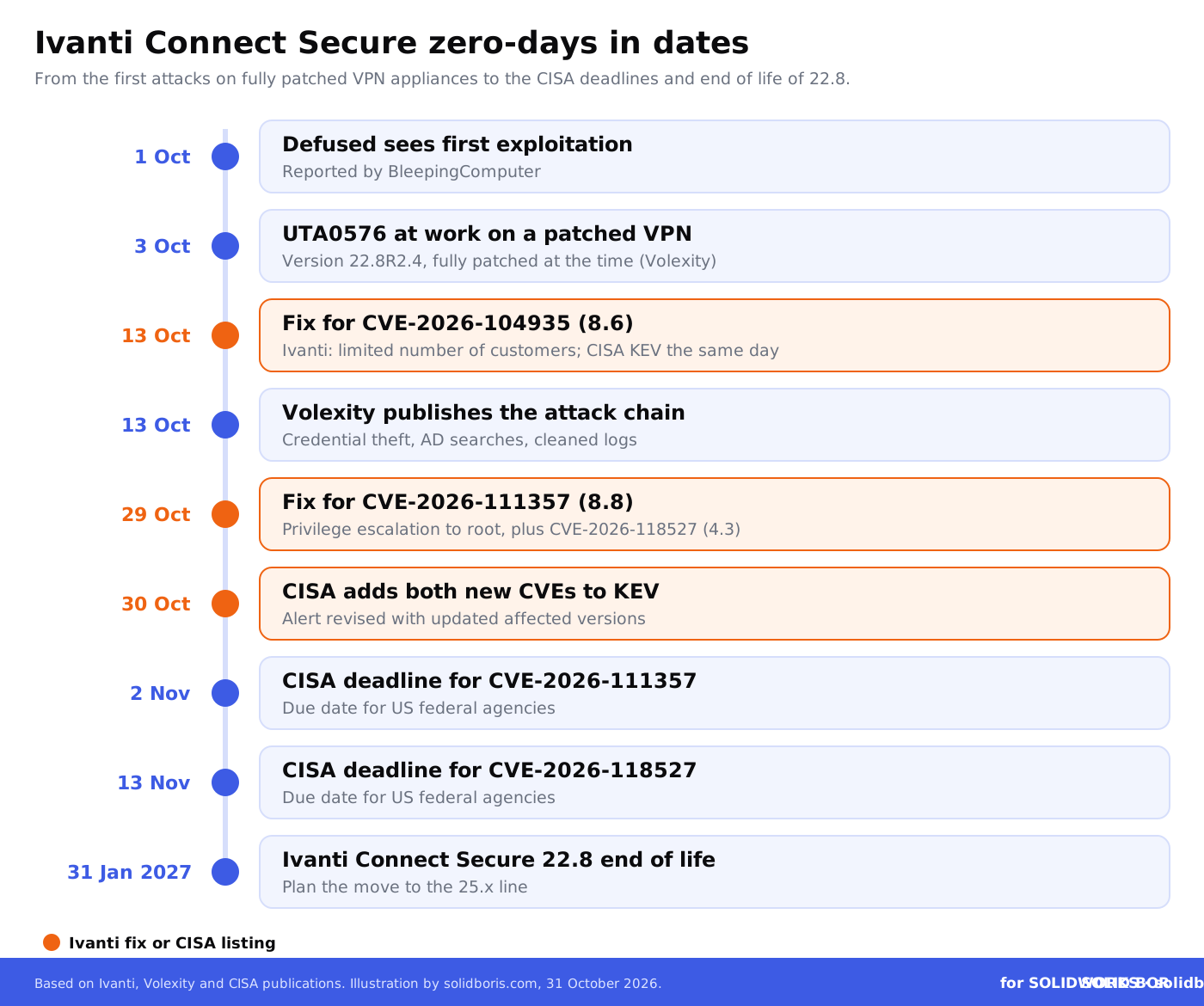
The story started with a zero-day, a flaw that attackers used before a fix existed. Security firm Volexity found the activity during an investigation that began on 5 October and saw the attacker, which it tracks as UTA0576, at work from 3 October. Another firm, Defused, told BleepingComputer it first saw exploitation on 1 October.
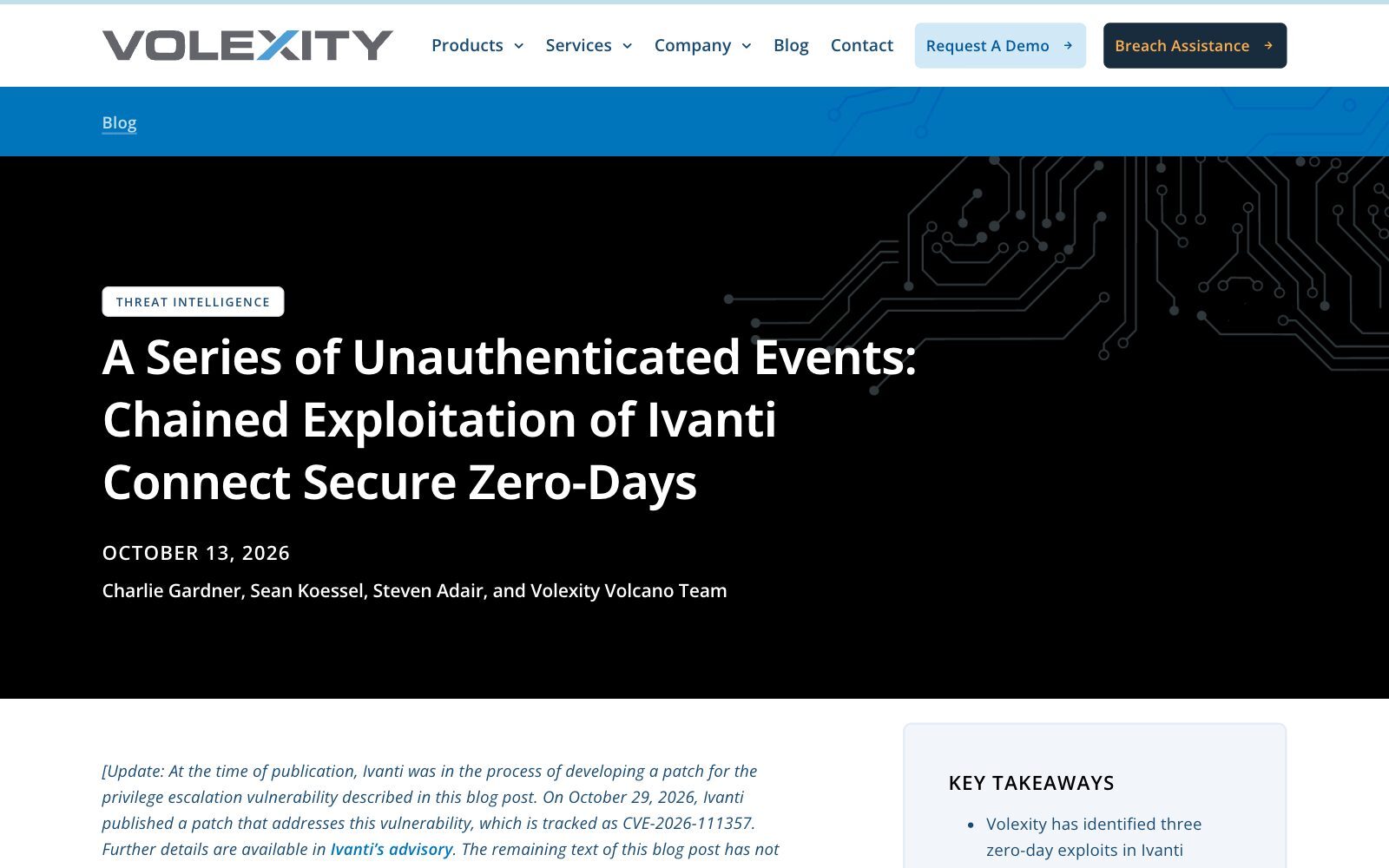
- 13 October: Ivanti released fixes for CVE-2026-104935, an authentication bypass rated 8.6 that lets a remote attacker run commands without logging in. Ivanti said: "We are aware of exploitation in the wild affecting a limited number of customers at the time of disclosure." CISA added the flaw to its Known Exploited Vulnerabilities (KEV) catalogue the same day, and Volexity published its analysis of the full attack chain.
- 29 October: Ivanti updated its advisory with a fix for the privilege escalation step, CVE-2026-111357, rated 8.8. A third flaw in the same update, CVE-2026-118527, rated 4.3, involves predictable file names that let a logged-in attacker place content at known locations on the appliance.
- 30 October: CISA added both new CVEs to the KEV catalogue and revised its alert. US federal agencies must fix CVE-2026-111357 by 2 November and CVE-2026-118527 by 13 November.
Two details make this case harder than a normal patch day. First, the appliance Volexity investigated ran version 22.8R2.4 and was fully patched when it was attacked. Second, the attacker worked in memory and cleaned up after itself, so a clean result from Ivanti's own Integrity Checker Tool does not prove that a device is clean.
What did the attackers do once they were inside the VPN?
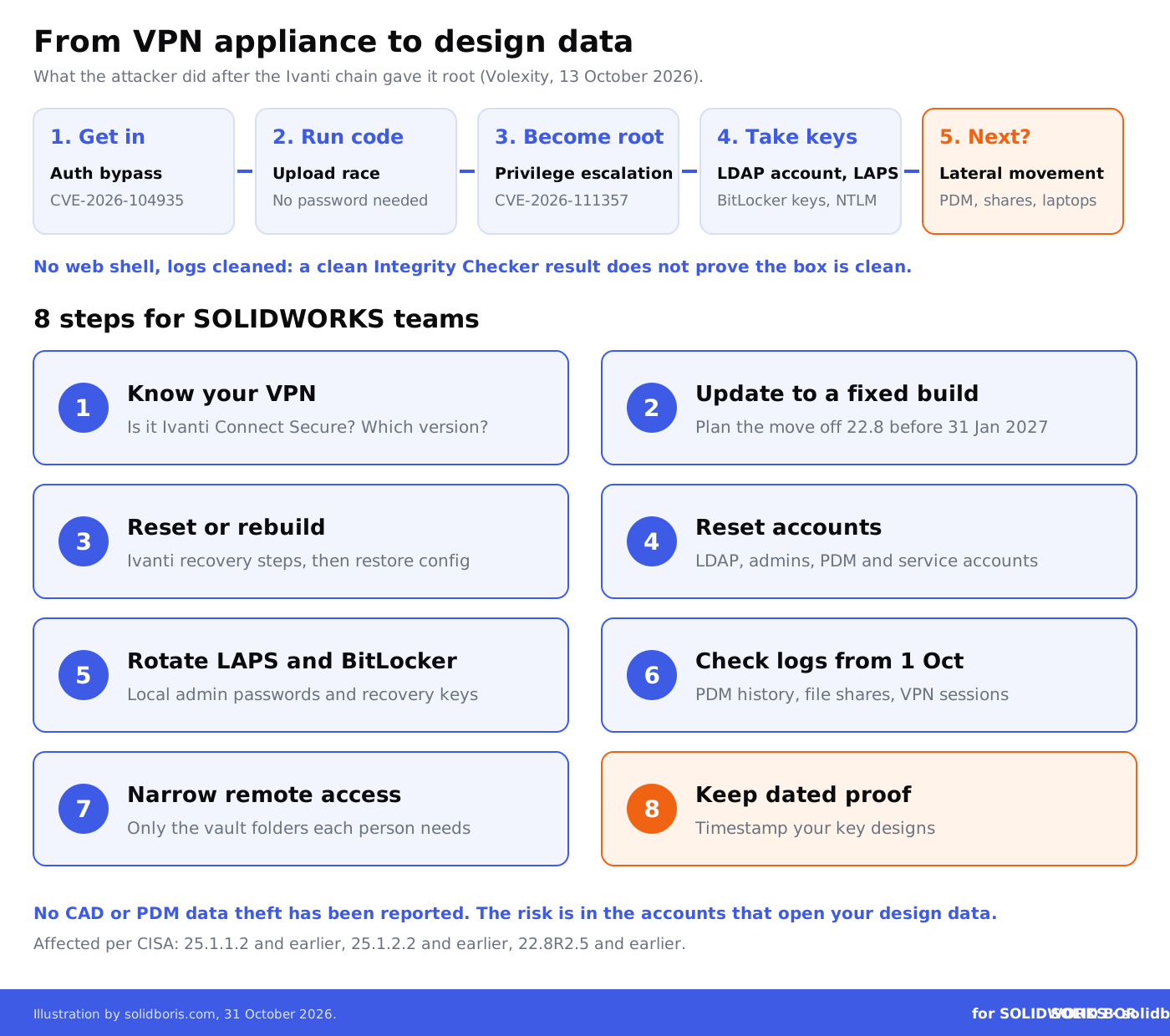
Volexity's report is the most detailed public account. The attacker never installed a web shell or a separate backdoor. It simply ran the exploit chain again each time it wanted a command executed and read the answers in the HTTPS responses. What it did with that access is the part SOLIDWORKS teams should read twice:
- Domain credentials from the appliance. The VPN stores an account it uses to query Active Directory over LDAP. The attacker took it.
- The keys to every laptop and server. With that account, it searched Active Directory for local administrator passwords managed by Microsoft LAPS, for BitLocker recovery keys and for attributes that contain passwords.
- Logins in transit. It captured network traffic on the appliance with a renamed copy of tcpdump and parsed it for plaintext LDAP and HTTP Basic credentials and NTLM password hashes.
- More accounts. It ran a Kerberos tool with Kerberoasting functions and sprayed passwords against Active Directory accounts.
- Fewer traces. It removed selected entries from the appliance's debug and audit logs and deleted its own scripts.
Volexity assesses "with high confidence that UTA0576's actions signaled preparation for lateral movement", meaning the next step would have been the rest of the network. It also says the attacker's final goals could not be determined because the operation was detected and disrupted. Its view that the motive is criminal rather than espionage is held only with low confidence.
Why does a VPN flaw matter to SOLIDWORKS teams?
Because the VPN is usually the only door between a remote engineer and the design data. A typical SOLIDWORKS setup behind a VPN looks like this:
- SOLIDWORKS PDM Professional with its database and archive servers, often set up so users log in with their Windows domain accounts. A stolen domain password can be a PDM password too. Our SOLIDWORKS PDM security configuration guide explains how vault permissions and groups are tied to those accounts.
- File shares with old projects, customer drawings and STEP exports that never made it into PDM.
- The SolidNetWork License server and service accounts used by add-ins, backup jobs and scripts.
- Engineering laptops protected by BitLocker. Recovery keys taken from Active Directory can unlock a stolen or lost disk.
None of these systems has to be vulnerable itself. If an attacker holds a valid domain account and a local admin password, many of them will simply let it in. That is why the work after this patch is mostly about accounts and logs, not about SOLIDWORKS. For the wider setup, see our guides on protecting SOLIDWORKS files in remote work and secure CAD sharing between offices.
Make your SOLIDWORKS designs provably yours, whatever happens to your network.
BORIS for SOLIDWORKS registers your CAD files with a blockchain timestamp and a certificate of ownership, so you keep independent, dated proof of your designs even if a server or account is compromised.
👉 Get BORIS for SOLIDWORKS
Which Ivanti versions are affected, and what fixes them?
According to CISA's alert, last revised on 30 October 2026, the affected versions are Ivanti Connect Secure 25.1.1.2 and earlier, 25.1.2.2 and earlier, and 22.8R2.5 and earlier. Reports on Ivanti's updated advisory of 29 October say customers are pointed to 25.1.1.3, or to 22.8R2.6 where an immediate move to the 25.x line is not possible. Check Ivanti's advisory for the exact build that fits your hardware or virtual appliance before you schedule the update.
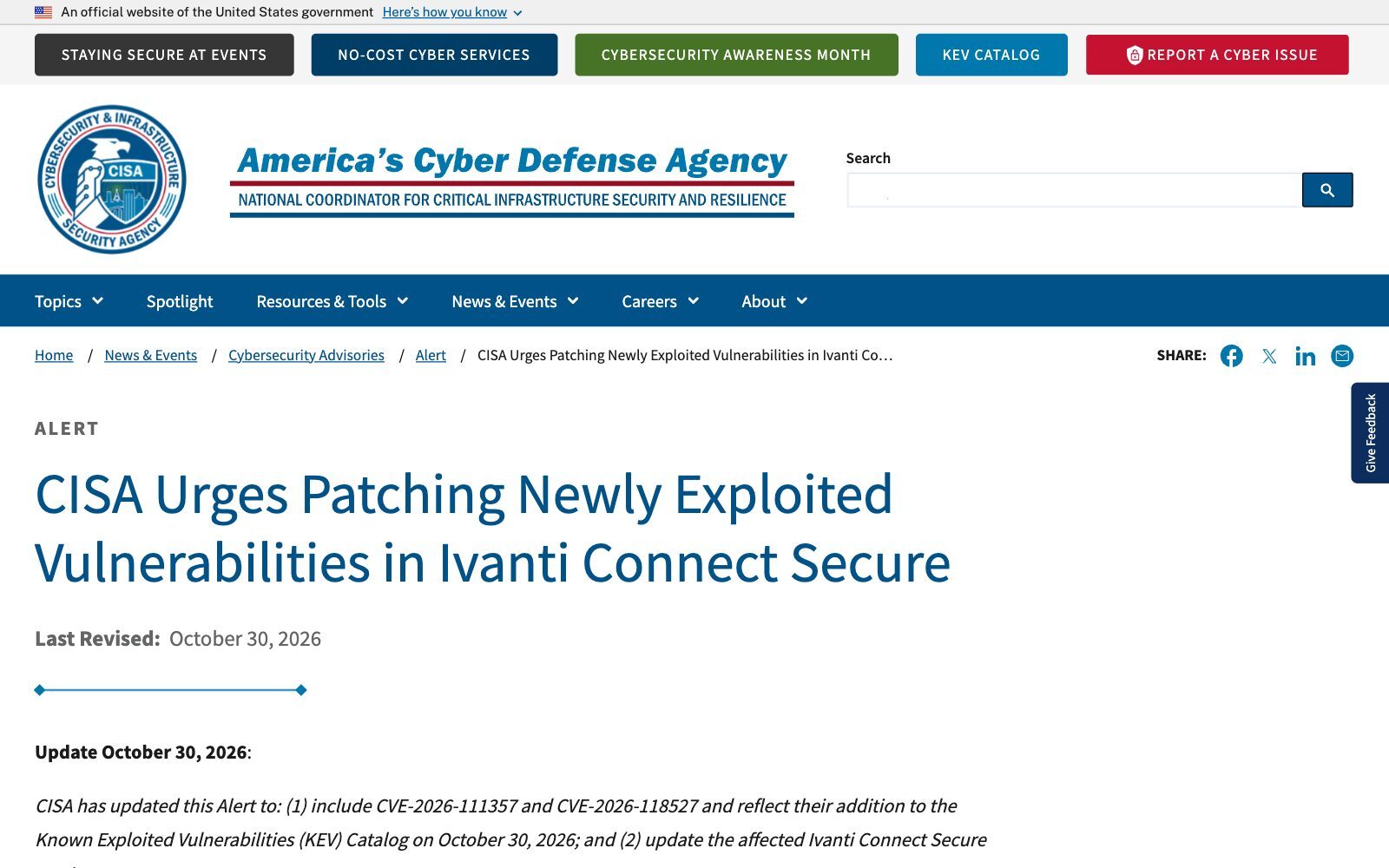
CISA also notes that the 22.8 line reaches end of life on 31 January 2027. If your VPN still runs 22.8, this is the moment to plan the move, not just the patch.
Is installing the update enough?
No. The update closes the door, but it does not tell you whether someone already walked through it. CISA's guidance for a suspected compromise is to back up the appliance configuration, factory reset and upgrade it (or rebuild a virtual one), restore the configuration, then reset all account passwords and revoke and reissue certificates, API keys and licence server credentials. It also warns that Ivanti's Integrity Checker Tool may miss exploitation of CVE-2026-104935, because the commands run in memory, and recommends network and memory forensics.
For a SOLIDWORKS team, resetting all account passwords has a practical meaning: the PDM admin account, the service accounts that run the PDM archive and database servers, accounts used by backup jobs and add-ins, and the users who connect from outside. Our article on common SOLIDWORKS PDM security mistakes lists the shared and over-privileged accounts that are easy to forget, and the guide to role-based permissions in SOLIDWORKS PDM helps you shrink what each account can open once you reset it.
What should SOLIDWORKS teams do now?
- Find out what your VPN is. Ask IT or your managed service provider whether remote access runs on Ivanti Connect Secure, and which version. Many small manufacturers do not know.
- Update to a fixed build today. Follow Ivanti's advisory, and plan the move off 22.8 before its end of life on 31 January 2027.
- Run the recovery steps if there is any doubt. Factory reset or rebuild, restore the configuration, and do not rely on the Integrity Checker Tool alone.
- Reset the accounts the VPN could see. Start with the LDAP account on the appliance, domain admins, PDM admin and service accounts, then remote users. Rotate LAPS passwords and BitLocker recovery keys.
- Check who opened design data since 1 October. Review PDM history, file server access logs and VPN sessions for unusual logins, bulk downloads and new devices. Our guide to tracking CAD file access shows what to look for.
- Shrink what one account can reach. A remote login should open the vault folders that person works on, not every share in the company.
- Keep logs outside the box. The attacker cleaned the appliance logs. Copies on a separate log server or SIEM are the ones you can trust later.
- Keep your own dated proof of key designs. If design data leaks, a timestamped record of what you created and when helps with customers, insurers and any later dispute about ownership.
If you find signs that design files were copied, the legal side starts quickly: contracts with customers, NDAs with suppliers and data protection rules may all apply. Our article on legal obligations after a CAD file breach covers the first steps, and the CAD security checklist for engineering teams helps you close the gaps afterwards.
Is this a one-off, or a pattern?
It is a pattern. The Register notes that this is the third year in a row in which attackers have exploited unknown flaws in Ivanti Connect Secure, after the January 2024 chain of CVE-2023-46805 and CVE-2024-21887 and the January 2025 flaw CVE-2025-0282. BleepingComputer counts 36 Ivanti vulnerabilities flagged by CISA as exploited since November 2021, 12 of them also used by ransomware gangs, and cites Shadowserver data showing more than 5,500 Connect Secure instances exposed to the internet.
Edge devices are a favourite way in because they sit on the internet, hold credentials and are rarely watched as closely as servers. The same logic runs through other cases we covered this month: the Helix group's SharePoint data theft through phished logins, ransomware groups listing CAD drawings as loot and the Node2Shell flaw in Node.js portals around CAD data. In each, the CAD system was not the weak point. The accounts and tools around it were.
How does this fit the bigger picture for CAD users?
Across our network this week, a common thread is control: who holds the evidence, who sets the terms and who can prove what came first.
- Evidence of what came first. CADChain explains a UPC Court of Appeal ruling in which a product on the market before the filing date cost a patent most of its claims, because a skilled person could work out the method by analysing the product.
- Design files as products. BORIS Inventor covers Germany's new Product Liability Act, which treats software and digital manufacturing files as products from 9 December 2026.
- Who you have a contract with. Blended BORIS looks at the new Sketchfab Terms of Use, which moved the contracting party to a KitBash company while keeping the promise not to use models for generative AI datasets.
Conclusion
The Ivanti Connect Secure chain is now fully patched, but it was used against fully patched appliances for weeks before that, by an attacker that went straight for domain credentials, admin passwords and BitLocker keys and then cleaned its tracks. For SOLIDWORKS teams, the risk is not in the CAD software. It is in the accounts that open the PDM vault, the file shares and the laptops.
Update the VPN, follow the recovery steps, reset every account the appliance could see and check your design data logs back to the start of October. Then make sure you can prove what you designed and when, whatever happens to the network around it.
Keep independent proof of your SOLIDWORKS designs.
BORIS for SOLIDWORKS adds blockchain timestamps and certificates of ownership to your CAD files from inside SOLIDWORKS, so you have dated proof of your work in PDM, on a laptop or after a breach.
👉 Get BORIS for SOLIDWORKS
FAQ: Ivanti Connect Secure zero-days and SOLIDWORKS data
Is SOLIDWORKS affected by the Ivanti Connect Secure vulnerabilities?
No. The flaws are in Ivanti's VPN appliance, not in SOLIDWORKS or any Dassault Systèmes product. The risk for SOLIDWORKS teams is indirect: the VPN is often the way remote users reach PDM vaults and file shares, and the attackers stole domain credentials that may open them.
Which CVEs are part of the chain?
CVE-2026-104935, an authentication bypass rated 8.6 and fixed on 13 October 2026; CVE-2026-111357, a privilege escalation to root rated 8.8 and fixed on 29 October; and CVE-2026-118527, a predictable file name flaw rated 4.3. CISA lists all three as exploited.
Which versions should I run?
CISA lists Ivanti Connect Secure 25.1.1.2 and earlier, 25.1.2.2 and earlier, and 22.8R2.5 and earlier as affected. Reports on Ivanti's updated advisory name 25.1.1.3, or 22.8R2.6 where a move to 25.x is not yet possible. Check Ivanti's advisory for your exact build.
Was CAD or PDM data stolen?
Nothing public says so. Volexity saw credential theft, Active Directory searches and exfiltration of limited directory data, and says the attacker's final goal could not be determined because the operation was disrupted. Ivanti speaks of a limited number of affected customers.
Does a clean Integrity Checker result mean my VPN is safe?
Not on its own. CISA warns that the tool may miss exploitation of CVE-2026-104935 because the commands run in memory, and recommends network and memory forensics if compromise is suspected.
We do not use Ivanti. Is there anything to learn?
Yes. Any VPN or remote access gateway sits in front of your PDM vault and file shares. Keep it updated, limit what one remote account can reach, keep logs on a separate system and know which service accounts it stores.
How does BORIS for SOLIDWORKS help in a case like this?
It does not patch VPNs or reset passwords. It gives your CAD files blockchain-timestamped certificates of ownership, so if design data leaks through a compromised account, you can still prove what you created and when.