
On 16 October 2026, Dassault Systèmes announced that it will show "long-running" Virtual Companions at NVIDIA GTC Berlin, which runs from 20 to 22 October. The companions, AURA, LEO and MARIE, are presented as agentic AI that can plan and carry out complex industrial tasks over time. LEO is the same virtual companion that SOLIDWORKS users already find inside SOLIDWORKS Design.
The announcement is short and does not mention SOLIDWORKS by name. It describes demos at booth 3006: AI companions that work with engineers "from requirements to final design", a virtual twin of a fully automated production line built with DELMIA, AI for science with MARIE, and LEO helping to design AI factories based on NVIDIA's DSX reference architecture. Two sessions with Dassault executives are scheduled, including one titled "Virtual Companions: Industrial AI Agents at Work".
For SOLIDWORKS teams, the direction is what matters. LEO started as a helper that answers questions. With the R2026x FD04 update in September, it began to create drawings, explode views, holes and nesting layouts directly in your models. The GTC Berlin demo shows where Dassault wants to take it next: an agent that works on multi-step tasks for longer, with less hand-holding. Here is what was announced, what LEO already does in SOLIDWORKS, and what CAD managers should put in place before an AI agent works on their design data for hours instead of seconds.
TL;DR: LEO is moving from assistant to agent
At NVIDIA GTC Berlin (20-22 October 2026), Dassault Systèmes is demonstrating long-running, agentic Virtual Companions that "reason, plan and execute complex industrial tasks over time". No SOLIDWORKS release date, pricing or feature list for long-running agents has been announced. LEO in SOLIDWORKS Design already acts on models, runs on metered Blue Tokens and needs a 3DEXPERIENCE connection. For your team: decide now which designs AI may touch, who approves AI changes, how you log them, and how you keep dated proof of what your engineers designed.
What did Dassault Systèmes announce for NVIDIA GTC Berlin?
According to Dassault Systèmes' media alert of 16 October 2026, the company will demonstrate how its industrial AI architecture "brings trusted intelligence into the physical world". It builds on the long-term partnership with NVIDIA that the two companies announced on 3 February 2026. The alert lists five demos:
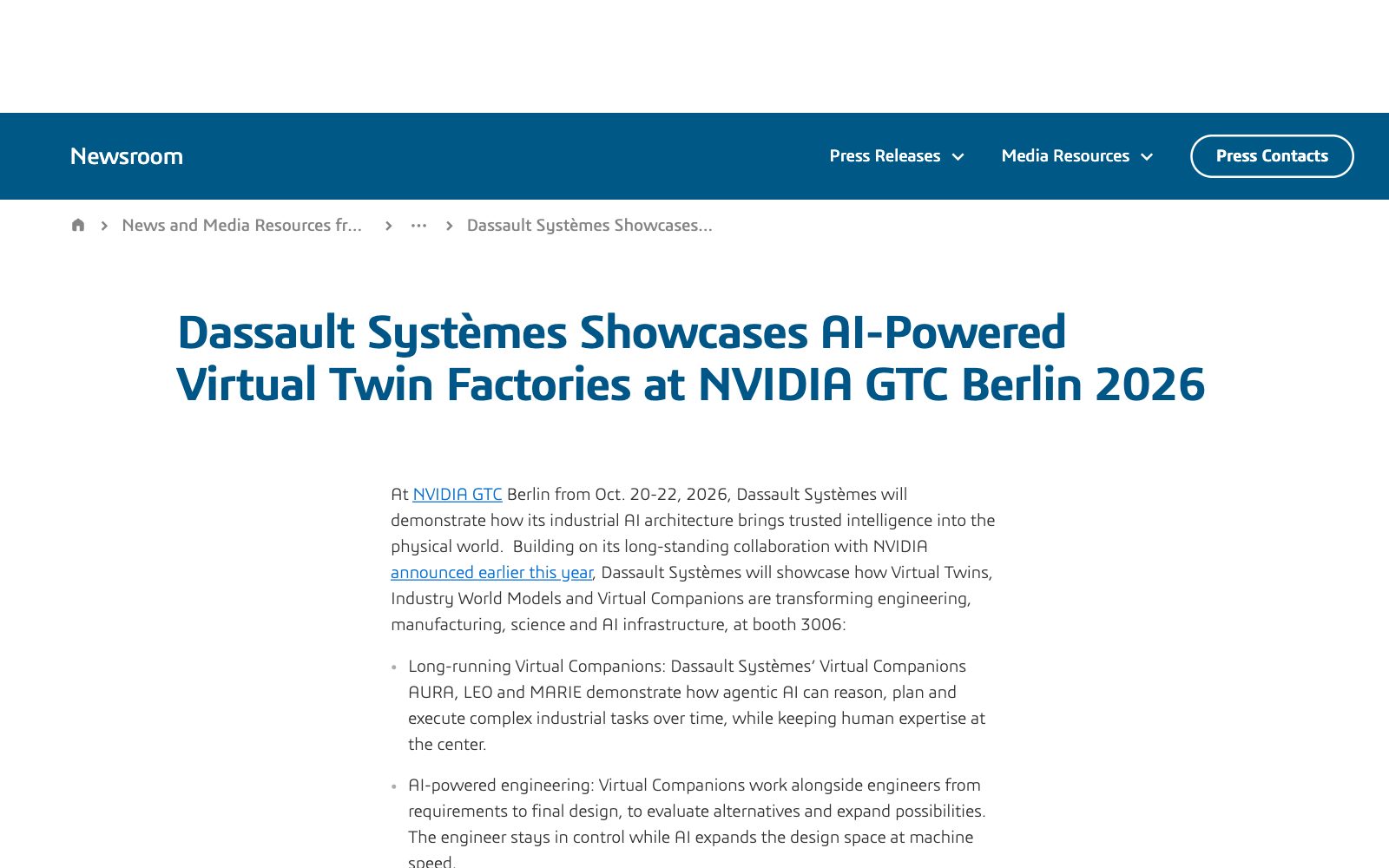
- Long-running Virtual Companions: AURA, LEO and MARIE show agentic AI that plans and carries out complex industrial tasks over time, "while keeping human expertise at the center".
- AI-powered engineering: the companions work alongside engineers from requirements to final design, to evaluate alternatives. Dassault says the engineer stays in control while AI expands the design space.
- Physical AI for manufacturing: a virtual twin of a production system with a fully automated, end-to-end process, built with DELMIA applications.
- AI for science: MARIE supports laboratory workflows together with NVIDIA's BioNeMo Agent Toolkit for biology, chemistry and drug discovery.
- Engineering AI factories: virtual twins, model-based systems engineering and LEO are used to design, simulate and validate AI data centres based on the NVIDIA DSX reference architecture.
Florence Hu-Aubigny, Executive Vice President for Research and Development, speaks on 21 October from 15:30 to 16:10. Karine Gosse and Chris Whiting, vice presidents of research and development for DELMIA and SIMULIA, present "Automotive's Agentic Era: from vehicle design to the factory floor with virtual twins" on 22 October from 11:00 to 11:40.
What the alert does not say is just as important. It gives no release date, no price and no product list for long-running companions, and it does not say how long "over time" means. We will treat everything beyond the demo as not announced until Dassault publishes it.
What can LEO already do inside SOLIDWORKS?
LEO is not new to SOLIDWORKS users. It sits in SOLIDWORKS Design behind the Virtual Companions icon in the CommandManager and the Virtual Companions tab in the Task Pane. The official R2026x FD04 overview, published on 16 September 2026, lists what LEO can now do on your models:
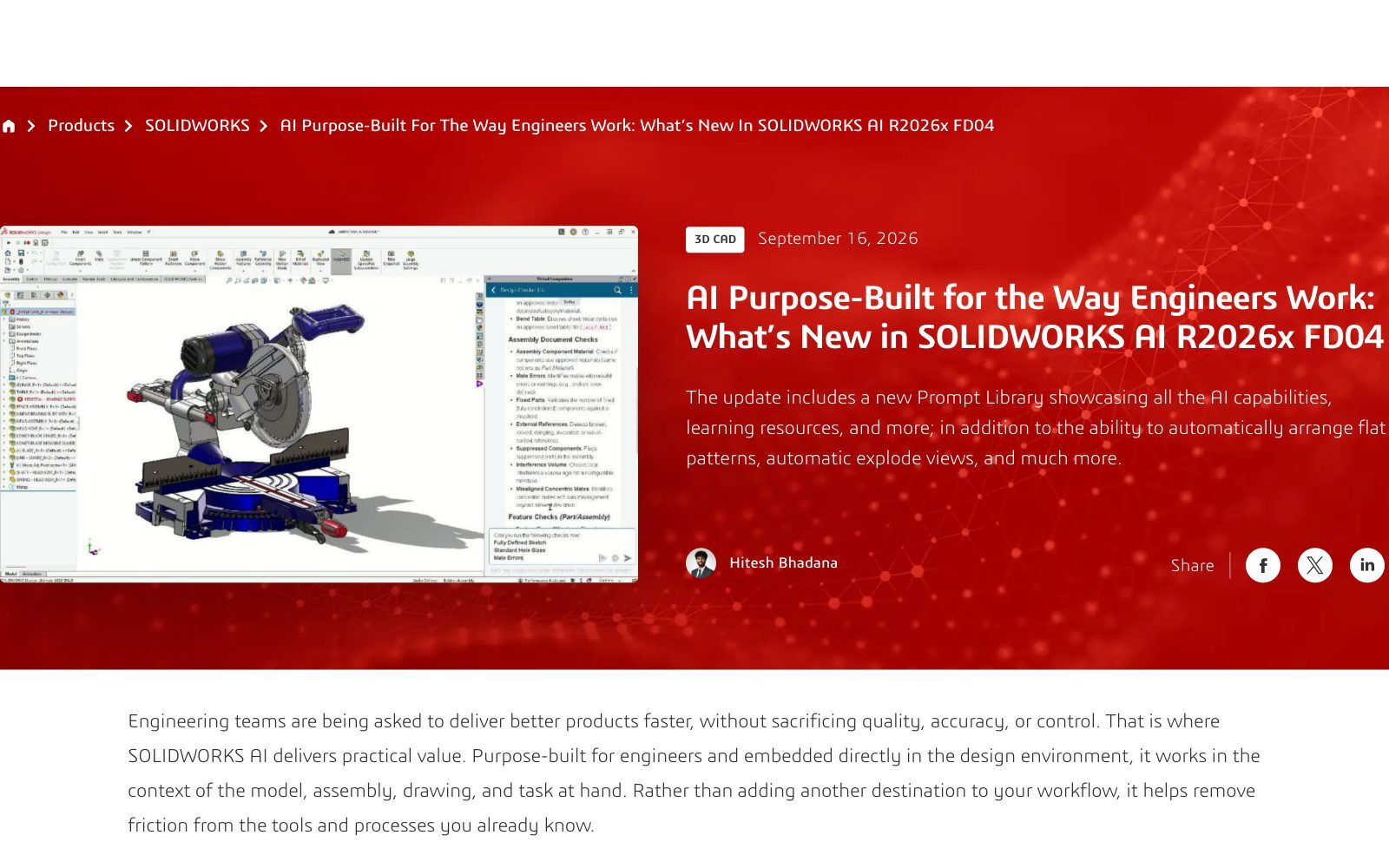
- Drawings: generate drawings in bulk, with control over sheet size, dimensioning scheme and tolerancing, or let the AI choose settings per drawing.
- Assembly instructions and explode views: pick the base component automatically, build step-by-step assembly instructions, and create editable explode steps from a prompt.
- Sheet metal nesting: arrange flat patterns on standard or custom sheets, with kerf, spacing and rotation settings, and export the layout to DXF.
- Holes: create and propagate aligned Hole Wizard holes across assembly components.
- Checks: review models, assemblies and drawings against company or industry release checklists, and analyse sketch errors such as open contours.
- Parameters and renders: build equations and design rules from natural language, and create renderings through the SOLIDWORKS Visualize add-in.
The FD04 page also introduced a Prompt Library inside SOLIDWORKS that collects LEO's skills, example prompts, safety information and data privacy guidance. Its message is clear: "AI does not replace engineering judgment." In other words, LEO already changes your models. A long-running agent would chain more of those actions together, with fewer stops for a person to check each step.
How is LEO metered, and where does your data go?
LEO is not a free local feature. Dassault meters SOLIDWORKS AI in Blue Tokens. According to its SOLIDWORKS blog post on tokens from 13 August 2026, tokens are used only when an AI skill runs and produces a result. Simply interacting with the companion does not consume them. Quick guidance uses fewer tokens, and bigger results, such as converting a model or analysing assembly performance, use more.
- Introductory grant: 2,000 tokens per SOLIDWORKS Design or SOLIDWORKS Design with Cloud Services licence, plus 100 per 3DSwymer licence. It is a one-time offer that does not renew.
- More tokens: bought online or through a reseller once the grant is used.
- Requirements: SOLIDWORKS Design 2026 SP3.0 or later, connected to the 3DEXPERIENCE platform.
That last point is the one CAD managers should think about. LEO depends on that platform connection, so expect the design context it works on to be processed on Dassault's side. In the February partnership announcement, Dassault said its OUTSCALE AI factories on NVIDIA infrastructure will run AI models for the 3DEXPERIENCE platform while guaranteeing customers' data privacy, IP protection and sovereignty. On 7 October, SOLIDWORKS CEO Manish Kumar said the AI models are never trained on customer data, which we covered in our article on SOLIDWORKS 2027 and your design data.
Those are vendor commitments, and they are useful. But they are not the same as your own record. If a long-running agent changes a hundred drawings overnight, you need to be able to show what it changed, who approved it, and what the design looked like before. Our guides to SolidWorks cloud security and cloud storage security for CAD files list the questions to ask any platform that holds design data.
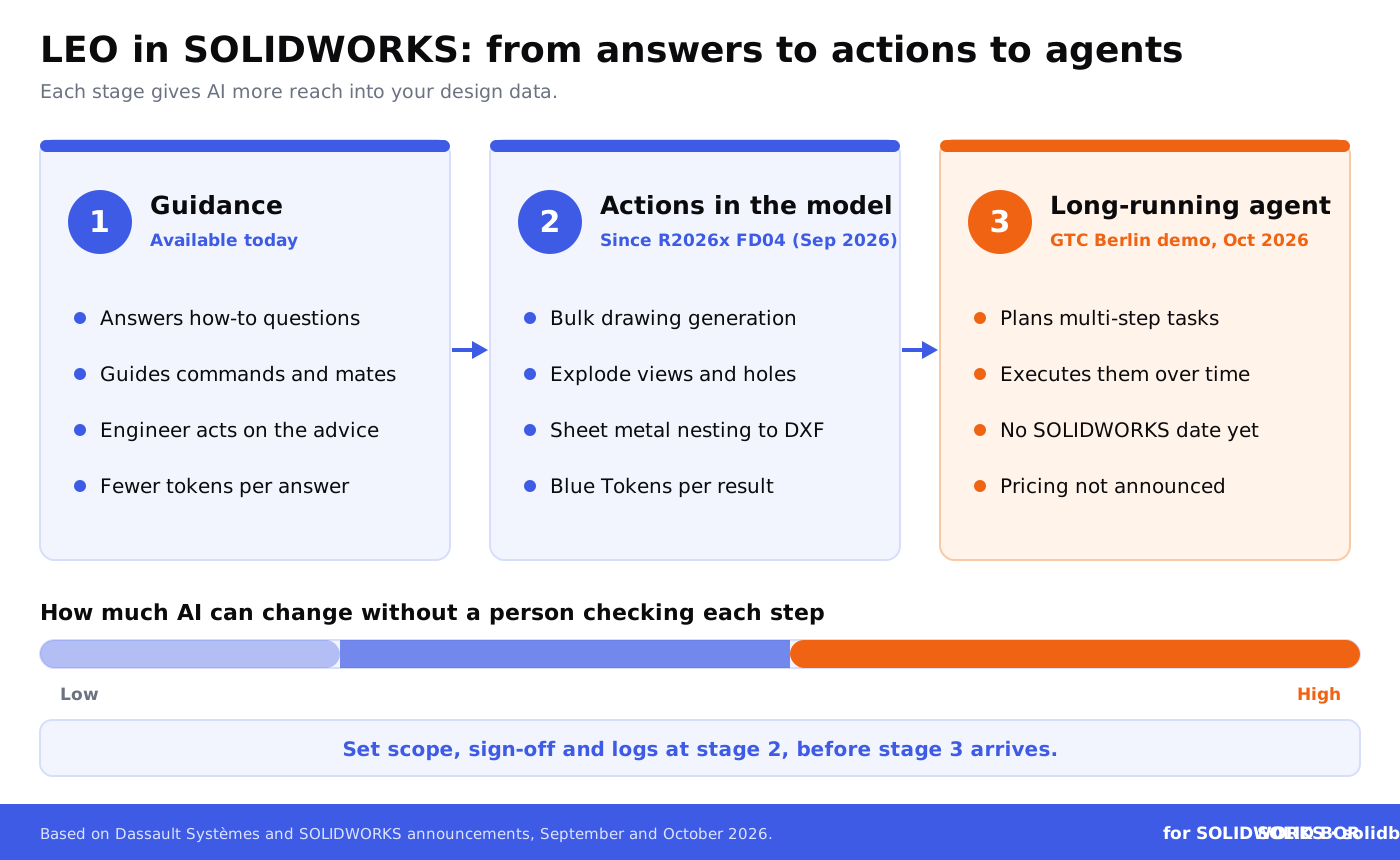
Assistant, actions or agent: what changes for your design data?
The table below compares the three stages. The third column is based only on what Dassault described for GTC Berlin.
Keep dated proof of every design version, whoever or whatever touched it.
BORIS for SOLIDWORKS registers your CAD files with a blockchain timestamp, so you have a certificate of ownership for each version that matters.
👉 Try BORIS for SOLIDWORKS
Why do long-running AI agents raise new questions for CAD managers?
An AI that answers one question at a time is easy to supervise. An agent that works for a longer period is useful precisely because nobody watches each step. That changes the risks:
- Scope creep: an agent asked to update a drawing set may also touch parts and assemblies it references. Decide which folders, projects and PDM states it may change.
- Review gaps: many small changes made over hours are harder to review than one change made now. Plan checkpoints where a person signs off.
- Cost surprises: tokens are charged per result, so a long task with many results uses many tokens. Dassault has not said how long-running tasks will be priced.
- Authorship questions: when an AI agent does much of the work, it gets harder to show which decisions your engineers made. That matters for patents, contracts and disputes. See how to prove authorship of CAD designs.
- Confidential projects: some customer contracts and NDAs limit where design data may be processed. Check them before AI touches those files. Our article on NDA limitations for CAD files explains why NDAs alone are not enough.
We have watched AI agents reach CAD from several directions this month. An AI agent passed the CSWP exam, as we reported in our article on the AI agent that passed the CSWP, and community projects already let outside AI assistants drive SOLIDWORKS, as covered in our article on SOLIDWORKS MCP servers. Dassault's own long-running companions would be the official route. The same rules apply to all three.
What should SOLIDWORKS teams do now?
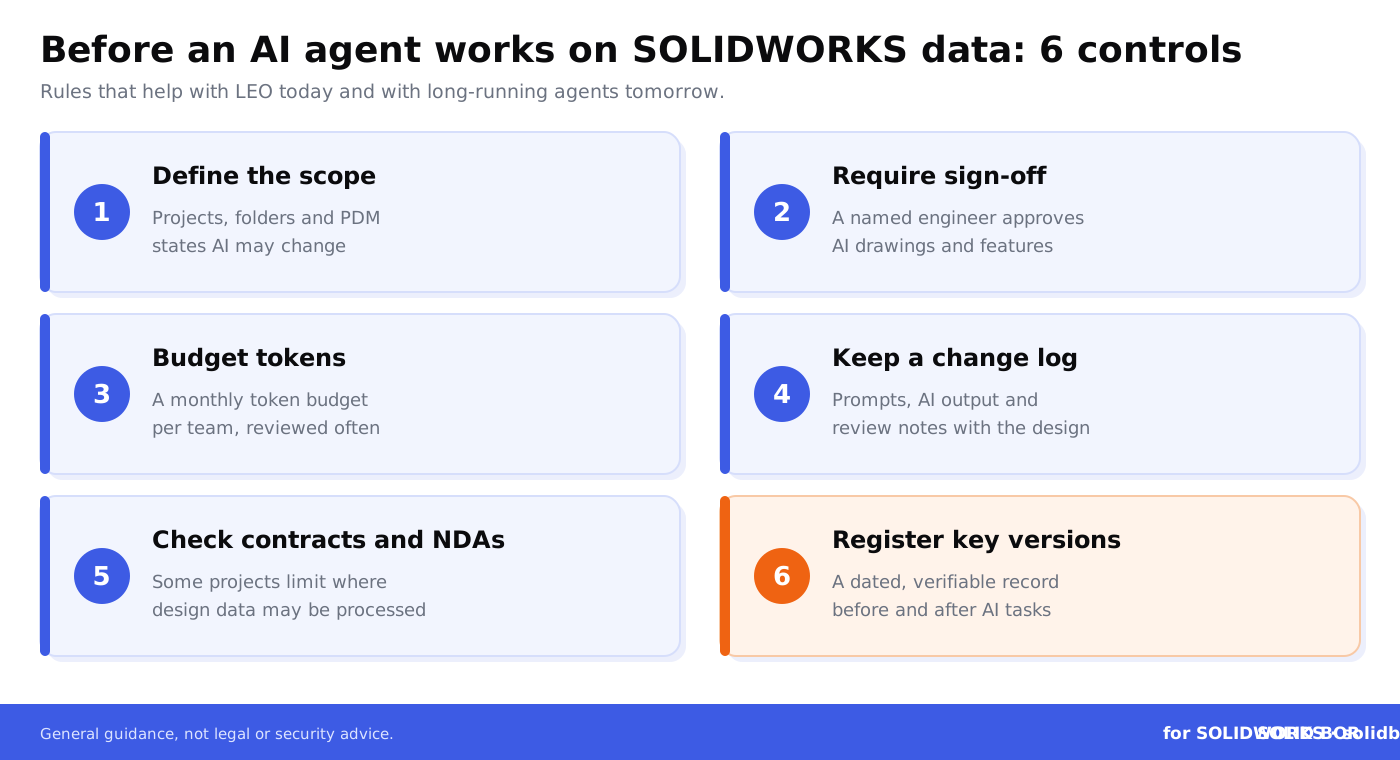
You do not need to wait for a release date. These steps help with LEO today and prepare you for agents tomorrow:
- Map who uses LEO. Find out which licences have the introductory tokens and who is already using them. Our guide to SolidWorks license management and security helps with the inventory.
- Set data rules. Write down which projects AI may work on, and which customer or defence projects are off limits until contracts are checked. See trade secret protection for CAD files.
- Use PDM states as gates. Let AI work only on files in work-in-progress states, never on released files without review. The SOLIDWORKS PDM security guide shows how to set permissions per state.
- Budget tokens. Agree a monthly token budget per team, and review where tokens go before long-running tasks arrive.
- Require sign-off. Treat AI-generated drawings, holes and nesting layouts like work from a new colleague: a named engineer checks and approves them.
- Keep a change log. Save the prompts that matter, the AI output and the review notes with the design.
- Register the versions that matter. A dated, independent record of each key design version is strong evidence if authorship is ever questioned. See why blockchain timestamping proves "first in time".
How does BORIS for SOLIDWORKS help when AI does more of the work?
When AI agents make more changes, the file alone tells you less about who designed what and when. Metadata can be edited, and platform logs live in systems you do not control.
BORIS for SOLIDWORKS, the add-in by CADChain, works inside SOLIDWORKS and registers your CAD files with a blockchain timestamp, giving you a certificate of ownership for each registered version. Register the version your engineers approved before an AI task runs and the version they approved after it, and you have dated proof on both sides. That record does not depend on an AI vendor or a cloud platform. To get started, see the BORIS plugin installation guide for SolidWorks.
How does this fit the bigger picture for CAD users?
Across our network this week, the same question keeps coming up: who gets access to design data, and on what terms?
- Insiders who are not who they claim to be. On CADChain, read how US authorities acted against North Korean remote IT workers who worked for more than 70 US employers, including manufacturers, and what identity checks and file-level CAD controls can do about it.
- PLM data on the dark web. BORIS Inventor explains how Clop published data stolen through a PTC Windchill and FlexPLM flaw, including technical drawings, and lists checks for Inventor and Vault teams.
- AI training and fair use. Blended BORIS covers the first US appeals ruling on fair use in AI training, where the court found that copying Westlaw headnotes to train an AI tool was not fair use.
Long-running AI agents add one more party to that list. Like geometry kernels, which we discussed in our article on Nvidia's open-source CAD kernel, AI is becoming part of the infrastructure that design data flows through.
Conclusion
Dassault's GTC Berlin demo is a preview, not a product. But it confirms the direction: LEO is moving from answering questions, to acting in the model, to carrying out multi-step tasks on its own over time. SOLIDWORKS users have already seen the second step with FD04.
The teams that benefit most from agents will be the ones that set the rules early: clear scope, human sign-off, token budgets, change logs and dated proof of what their engineers designed. None of that requires waiting for Dassault's release notes.
Prove what your team designed, before an AI agent touches it.
BORIS for SOLIDWORKS adds blockchain timestamps and certificates of ownership to your CAD files, right inside SOLIDWORKS.
👉 Get BORIS for SOLIDWORKS
FAQ: LEO, long-running AI agents and SOLIDWORKS
What did Dassault Systèmes announce for NVIDIA GTC Berlin 2026?
On 16 October 2026 it announced demos at booth 3006 for GTC Berlin, 20 to 22 October: long-running Virtual Companions AURA, LEO and MARIE, AI-powered engineering, a DELMIA virtual twin of an automated production system, AI for science, and LEO helping to design AI factories on NVIDIA's DSX reference architecture.
What is LEO in SOLIDWORKS?
LEO is Dassault's engineering virtual companion inside SOLIDWORKS Design. It answers questions and, since the R2026x FD04 update, can generate drawings, assembly instructions, explode views, holes and sheet metal nesting layouts, and run release checks.
When will long-running AI agents come to SOLIDWORKS?
Dassault has not announced a date. The GTC Berlin alert describes demos only and does not mention a SOLIDWORKS release, pricing or feature list.
Does LEO cost extra?
LEO is metered in Blue Tokens. Each SOLIDWORKS Design licence received a one-time grant of 2,000 tokens, plus 100 per 3DSwymer licence. More tokens can be bought online or through a reseller. Tokens are used only when a skill produces a result.
Does LEO need the cloud?
Yes. Dassault says SOLIDWORKS Design 2026 SP3.0 or later connected to the 3DEXPERIENCE platform is required.
Is my design data used to train Dassault's AI?
SOLIDWORKS CEO Manish Kumar said on 7 October 2026 that the AI models are never trained on customer data. Check your contract and the data privacy guidance in the Prompt Library for the details that apply to you.
How can I prove my team designed a part if AI helped?
Keep the specification, prompts, AI output and review notes with the design, and add an independent record. BORIS for SOLIDWORKS registers CAD files with a blockchain timestamp and gives you a certificate of ownership for each registered version.